

After years of using various complicated web-based Sanskrit dictionaries, I set out to build my own comprehensive mobile and mac-based version that solves many of the usability problems that I and countless other student had encountered. If you’re not familiar with my app Sanskrit Lexicon, read the following posts first:


And I’m far from finished! After a year of working on many other things, I finally had a bit of free time to go ALL IN and do a serious feature upgrade. It’s definitely an exciting release! This is going to be a LONG one, so get comfortable, grab some tea, and open your iPhone, iPad, or Mac app to follow along!
Simplified vs Scholar Definitions
While I personally love and aspire to understand the complex grammatical terms encoded in the included academia-based dictionaries such as the Monier-Williams and Apte, the reality is that they are overwhelming and hard to read for most. This is why I have added a simplified version of the same definitions.
Let’s take the word मैत्री (maitrī) as an example. Here is one of its normal academic definitions:
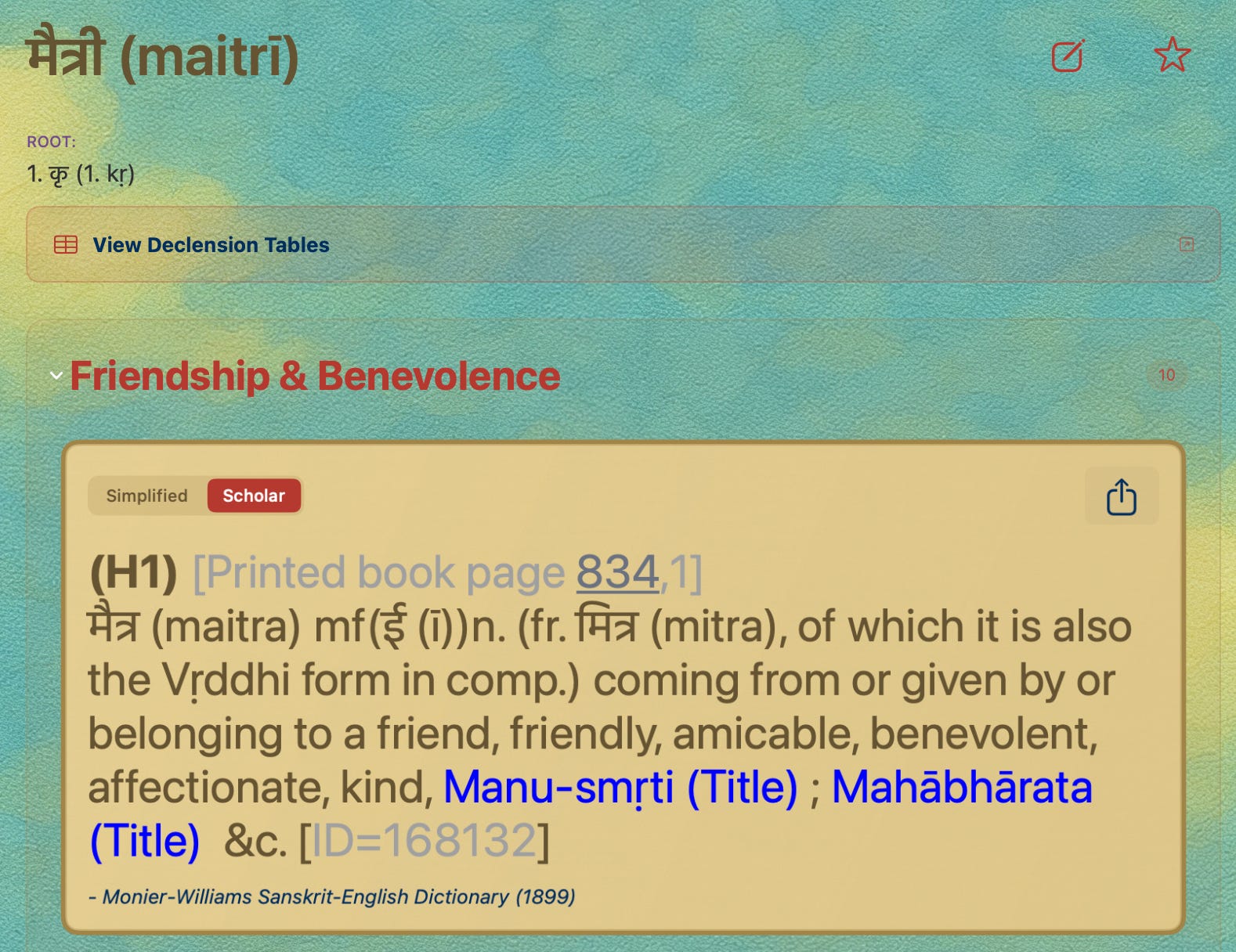
Instead of this, you will first see the Simplified version:
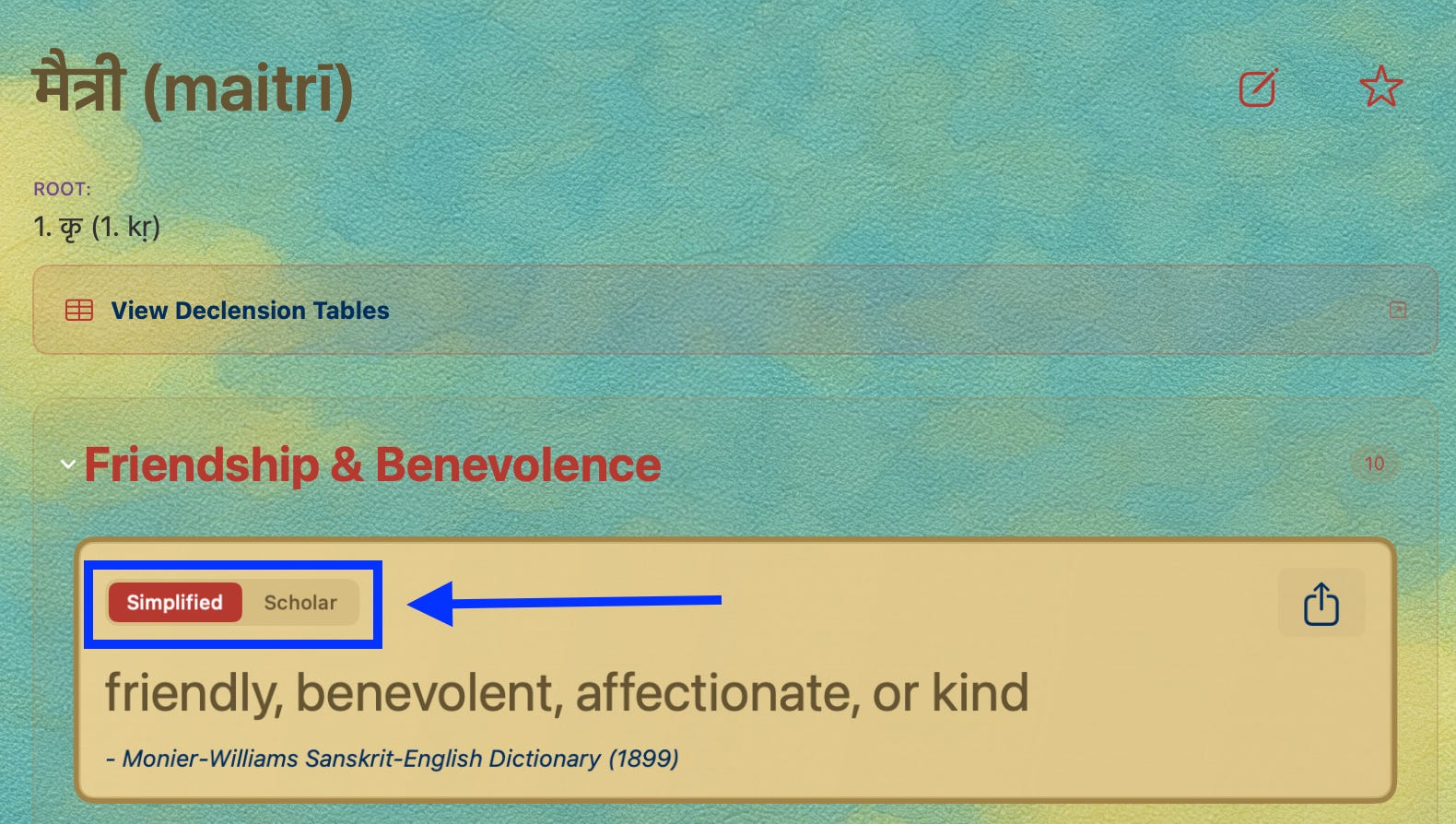
If you want to see the original definition, just toggle to Scholar view!
Do note that the Simplified version is in fact simplified! It’s meant for easy glancing and may not capture the definition fully. However, once you find the definition that is most relevant to what you’re reading, toggle to Scholar view to see it in detail!
Word of the Day Widget
Sanskrit Lexicon had a Word of the Day from Day 1, but it was honestly selected super randomly from all the words in the dictionary, which was not that great. In the updated version, the Word of the Day is now selected from a highly curated list of words that are common across many Sanskrit texts and are interesting to learn about. In fact, the word मैत्री (maitrī) shown above is today’s word of the day as an example.
And now onto the even more exciting news… there is now a Word of the Day widget that you can add to your home screen! To add, hard press on any app or part of your home screen. This will make all your app icons moveable. You will notice a formatting icon on to top left of the screen:
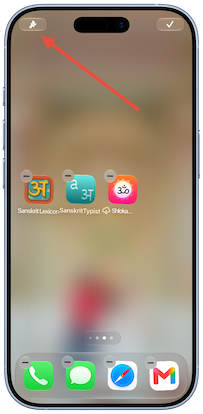
Click on the icon, and you will see the option to “Add Widget.” In the Add Widget view, search for “Sanskrit Lexicon:”
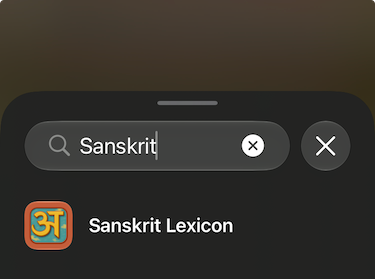
Click on the app name, and you will see two widget options. The first is the small version that just shows the word and takes you to the app. If you scroll over to the right, you will see the large version which includes a definition. Select the widget that you prefer (I recommend the large one!), and click on “+ Add Widget:”
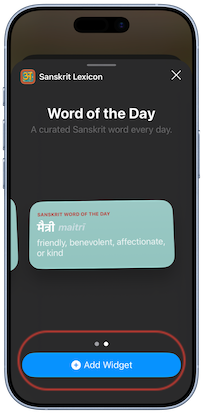
That’s it! You will now see the Sanskrit Word of the Day widget on your home screen!
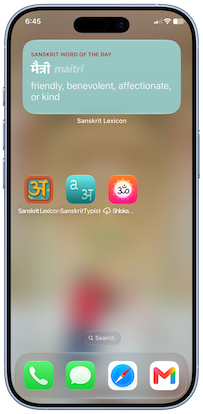
Note that the definition shown is just ONE of the word’s simplified definitions. Click on the widget to go into the app to learn more about the word of the day! Words reset a midnight each day! I personally have installed it and absolutely love it since I get to see the word every time I open my phone. Learning a new Sanskrit word daily becomes seamless.
Siri Integration
This the BIGGEST part of this update. Sanskrit Lexicon now works with Siri! However, please note that this works best on Apple Intelligence enabled devices (iPhone 15 and up!).
Here are a few things you can ask Siri. Note that you can replace “Sanskrit Lexicon” with “Sanskrit Dictionary” or simply “Sanskrit” in the questions below:
Word Lookup
Start by calling Siri (“Hey Siri”) then saying “Look up a word in Sanskrit Lexicon.” It will then ask you which word you’d like to look up. Let’s say “Rama.” Since Rama doesn’t have diacritics, Siri will show you a drop down of possible options to choose from.
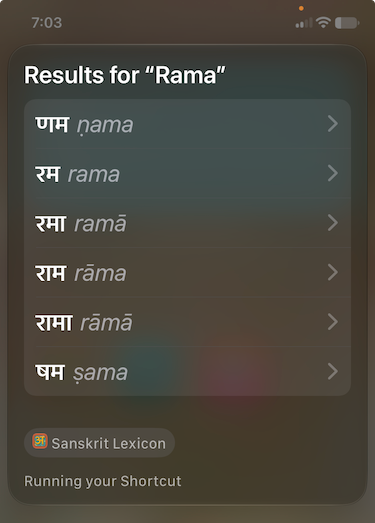
Once you select a word (I chose राम), it will show you the different available contexts for the word, which you can go into to see the simplified definitions.
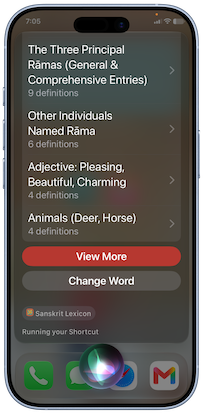
If you scroll down in the categories view, you can click “View More” to be taken into the Sanskrit Lexicon app or change the word to a different spelling.
Open a Word
If you have some favorite words saved or you have searched a word recently, you can open the word by invoking Siri (“Hey Siri”) and asking it to “Open ⟨Rama⟩ in Sanskrit Lexicon."
Word of the Day
And finally, you can also ask Siri about the word of the day if you don’t have the widget installed. Simply say “What's the Sanskrit Dictionary word of the day?"
Spotlight Appearance
Words that you have searched recently or favorited or made a note about in the Sanskrit Lexicon app also appear in Spotlight search. For example, I recently looked up लाभकर in the app. I can type it without diacritics and have it show up right there in spotlight.
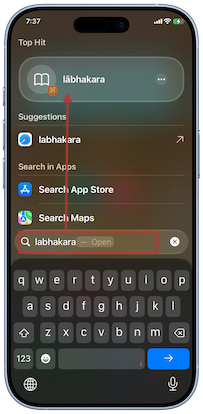
Clicking on the result will take you right into the word in the app!
Shortcuts
Siri might not work too well on some devices, especially older ones. So instead, you can add each of the functionalities above as a Shortcut in your Shortcuts app. Go into the Shortcuts app, select “All Shortcuts,” click the + button, and search for “Sanskrit Lexicon.” You will then get a list of the same shortcuts as listed below:
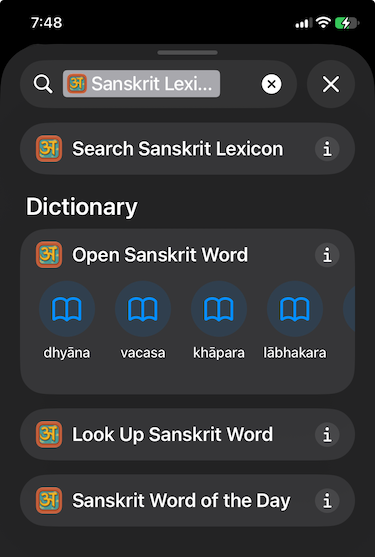
Click on the i button for each shortcut, and click the “+ Add” button:
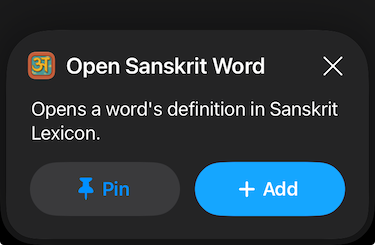
You will be taken inside the shortcut, which you can run right there by selecting a word and clicking the play button at the bottom right of the screen. However, it is best to add it to your Home Screen to access at any time. To do that, click on the dropdown menu:
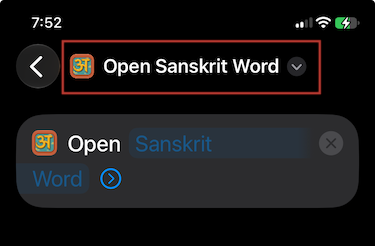
And select “+ Add to Home Screen:”
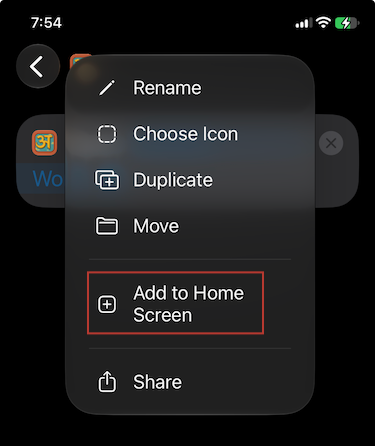
You will then select a color for this shortcut and be able to access it from your home screen! Do the same for all the other shortcuts (4 total!). This is an excellent alternative if you’re not into using Siri too much.
Pro tip: Use the SanskritTypist Keyboard
To get the most out of Sanskrit Lexicon, typing words in their exact Devanagari or IAST script is the most effective. The easiest way to do that is by installing the SanskritTypist Devanagari & IAST keyboard app.
Have questions or issues with any of the functionalities above? Let me know in the comments!